
3. Styling & Colors
Customize colors and typography to match your brand across light and dark themes.
Source: Framer Academy
Important Notes
• Use styles instead of manual overrides to keep consistency
• Changing a style will update all elements using it
• Avoid random color usage stick to a defined palette
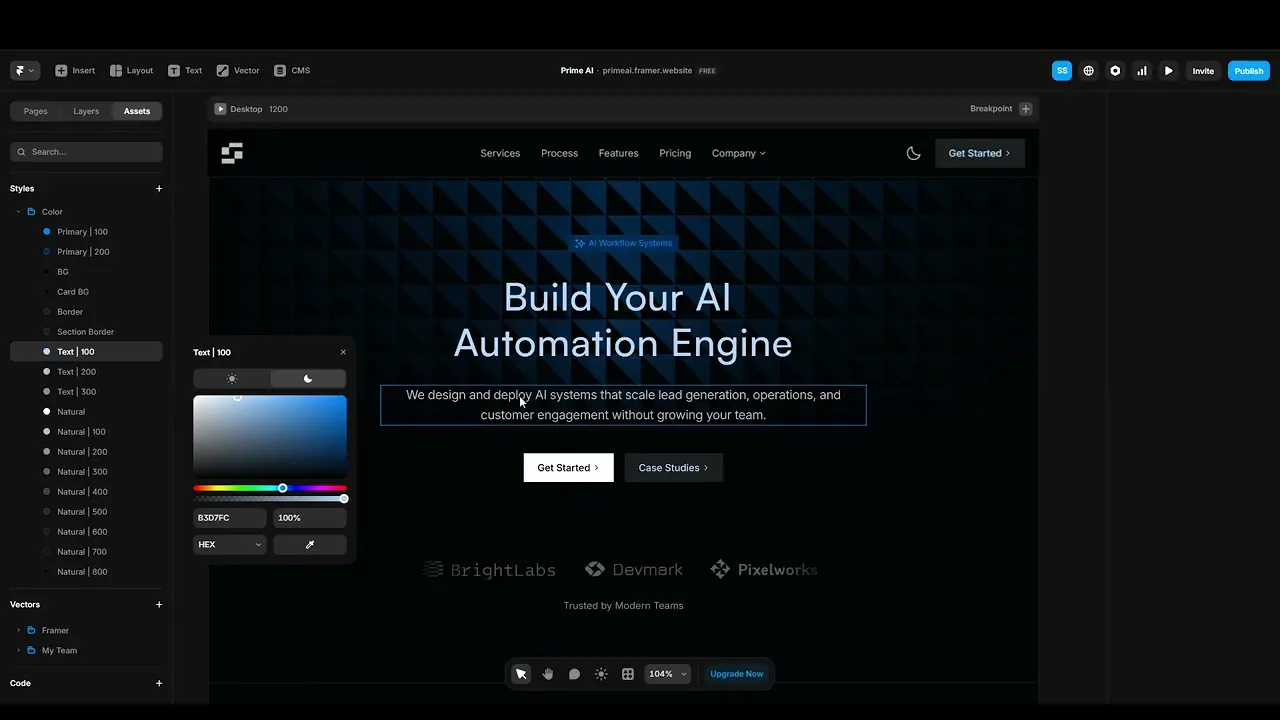
3.1 Update Colors (Dark Mode)
Edit your dark theme by updating background, text, and UI colors using the right-side panel. Maintain contrast and readability while applying your brand colors.
Use existing color styles where possible to keep the design consistent.
3.2 Update Colors (Light Mode)
Switch to light theme and adjust colors to ensure proper contrast and readability. Light mode requires different color balance, so avoid directly copying dark mode values.
Keep spacing, structure, and hierarchy consistent while adapting colors.

3.3 Edit Text Styles
Update fonts, sizes, and weights using the text settings panel. Maintain a clear hierarchy between headings, subheadings, and body text.
Use shared text styles instead of manually styling each element to keep your design consistent and scalable.


Source: Framer Academy
Quick Tip
Set your colors and text styles early before making major edits it helps maintain consistency across your entire website.